More healthcare technology companies are moving from Salesforce and Pardot (now called Marketing Cloud Account Engagement) to HubSpot. The reasons are usually the same: a system that grew complicated, costs that kept rising, and a marketing team that couldn’t get the reports it needed without an administrator.
We recently guided a healthcare technology company through this exact move. The software was the easy part. What made the difference was the planning that happened before anything moved. Here’s what we’d tell any healthcare team considering the switch.
In short: A successful move from Salesforce and Pardot to HubSpot depends more on planning than software. Decide what history to keep, clean data before moving it, rebuild processes instead of copying old customizations, and migrate in phases so campaigns keep running. Capture a reporting baseline before retiring Salesforce. For most healthcare companies with $5M to $50M in revenue, the full move takes a few months.
What data should you bring from Salesforce to HubSpot?
Not everything in your old system deserves a place in the new one. Before you migrate, decide:
- Which contacts and accounts are active enough to keep
- How many years of deal history you need for reporting and diligence
- Which campaign and engagement data matters for attribution
- What can be archived in a simple export instead of migrated
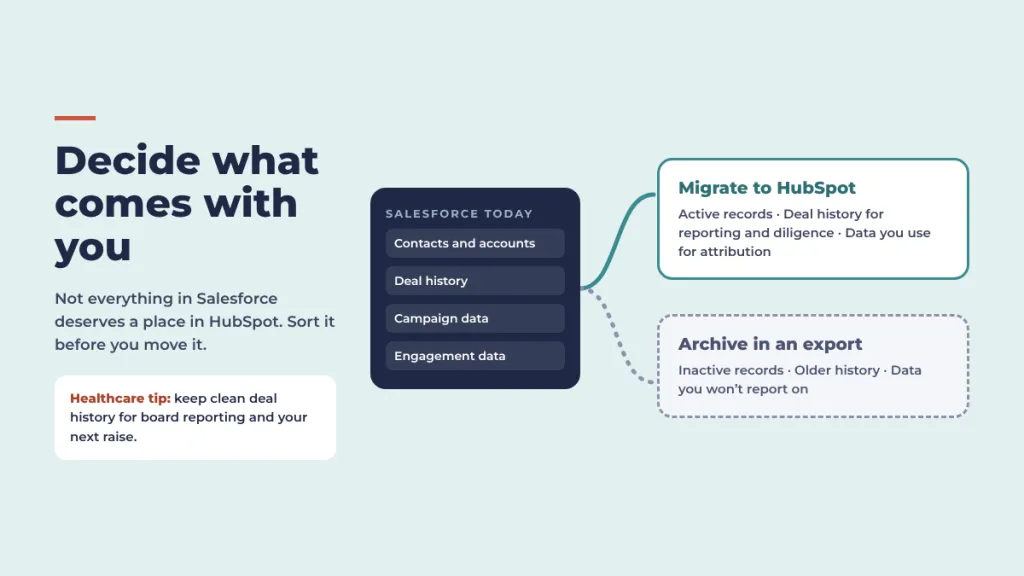
Healthcare companies often need clean deal history for board reporting or a future raise. Plan for that now, because rebuilding it later is much harder. (Our guide to the marketing systems buyers and investors look for covers what diligence teams expect to see.)
Clean your data before you move it
A migration is the best chance you’ll get to fix your data. Before anything moves:
- Merge duplicates across contacts and accounts
- Standardize company names so records match cleanly in HubSpot
- Retire fields nobody uses
- Agree on lifecycle stage definitions with sales
Moving messy data into a new system just gives you a messier new system.

Rebuild your processes instead of copying them
The biggest mistake we see is trying to recreate the old system exactly. Years of Salesforce customizations often exist to work around problems HubSpot handles differently.
Start from how your team sells and markets today. Rebuild your pipeline, lead scoring, and automation around that, and leave the workarounds behind. If your deals involve long cycles and large buying committees, see how to set up HubSpot for healthcare buying cycles.
A phased plan that keeps marketing running
Campaigns can’t stop for a migration. A phased plan keeps them going:
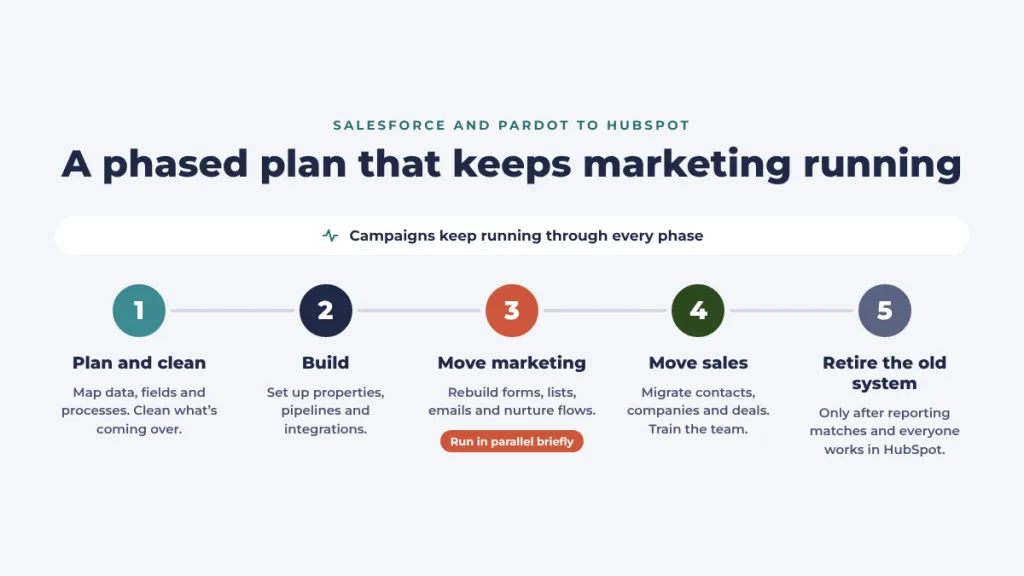
| Phase | What happens |
| 1. Plan and clean | Map data, fields, and processes. Clean what’s coming over. |
| 2. Build | Set up HubSpot properties, pipelines, and integrations. |
| 3. Move marketing | Rebuild forms, lists, emails, and nurture flows. Run them in parallel briefly. |
| 4. Move sales | Migrate contacts, companies, and deals. Train the team. |
| 5. Retire the old system | Only after reporting matches and everyone is working in HubSpot. |
Plan the Pardot and Salesforce pieces separately. HubSpot treats Salesforce and Account Engagement (Pardot) as separate source apps, each with its own list of what can transfer. If you’re leaving Salesforce entirely, HubSpot’s Smart Transfer tool is built for a one-time migration. If you’ll keep Salesforce running, use the HubSpot-Salesforce integration instead.
Bring the sales team along
Reps who have used Salesforce for years will have habits. Show them what gets easier: one record with every email, meeting, and marketing touch in one place. Train on their actual daily workflow, not every feature, and have someone available for questions in the first few weeks.
What should you measure before you switch?
Before you retire anything, capture your current numbers:
- Pipeline by stage
- Win rates
- Sales cycle length
- Lead volume by source
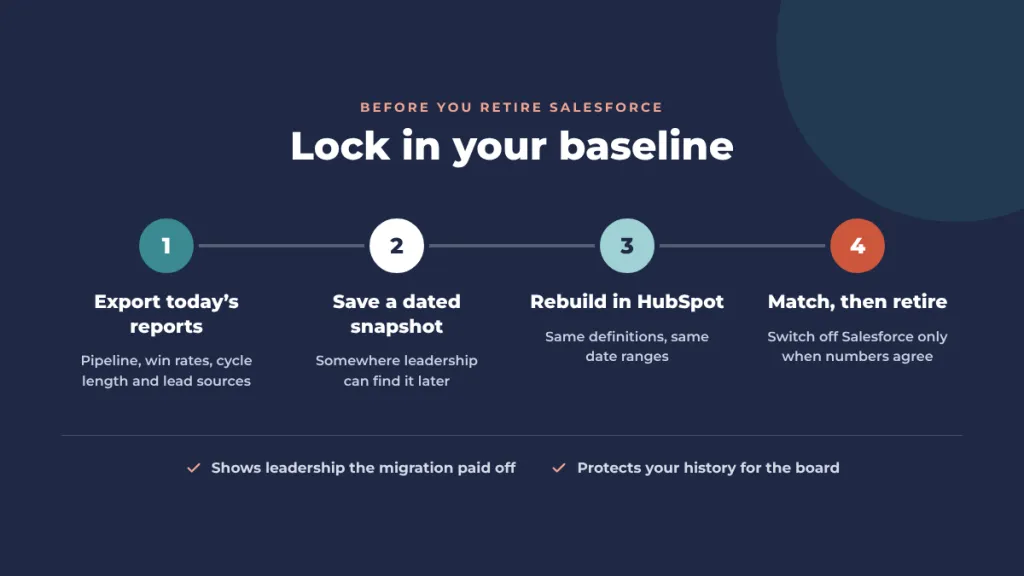
That baseline lets you show leadership the migration paid off, and it protects your history if the board asks how the numbers compare. (Here’s what boards want marketing to report.)
How long does a Salesforce to HubSpot migration take?
For most healthcare companies in the $5M to $50M range, a well-planned migration takes a few months from kickoff to retiring the old system. The planning and cleanup phases take longer than people expect. They’re also what make everything after them go smoothly.
Start with a clear picture of where you are
If you’re weighing a move to HubSpot, start by understanding what you have. Breezy Hill Marketing, a HubSpot Gold Partner with the Health Care Industry Specialist badge, will review your current setup at no cost through our HubSpot and Marketing Ops practice. We’ll outline what a migration would involve: what to bring, what to leave, and where to start.
Request your free HubSpot audit
Frequently asked questions
Is Pardot the same as Marketing Cloud Account Engagement?
Yes. Salesforce renamed Pardot to Marketing Cloud Account Engagement in 2022. Many teams still call it Pardot.
Do we need to migrate all of our Salesforce history?
No. Migrate active records and the deal history you need for reporting and diligence. Archive the rest in an export you can access if needed.
Should we run Salesforce and HubSpot at the same time?
Briefly. Run marketing in parallel just long enough to confirm forms, emails, and reporting work in HubSpot, then retire Salesforce once the numbers match.
What’s the most common Salesforce to HubSpot migration mistake?
Recreating the old system exactly. Many Salesforce customizations are workarounds that HubSpot doesn’t need. Rebuild around how your team sells today.
Planning a move to HubSpot?

Want help putting this to work?
We work alongside healthcare marketing teams. Discovery calls take 30 minutes.