
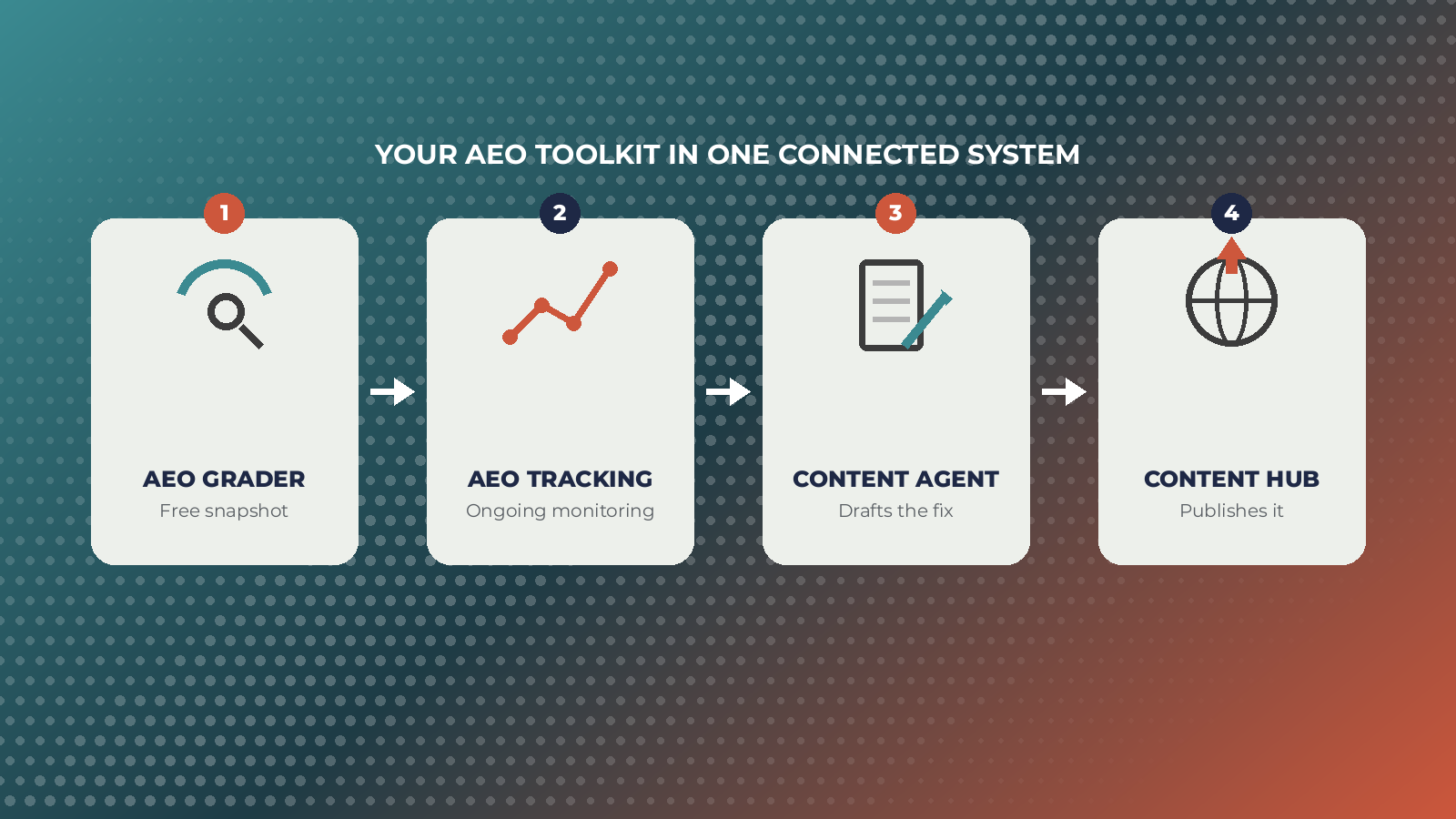
If your team is trying to figure out whether ChatGPT, Gemini, or Perplexity even know your brand exists, HubSpot now has a real answer to that question, not just one tool, but a small stack of them that cover diagnosis, tracking, and fixing gaps in one connected system. Here’s what each one actually does and where it fits.
Start Free: The AEO Grader
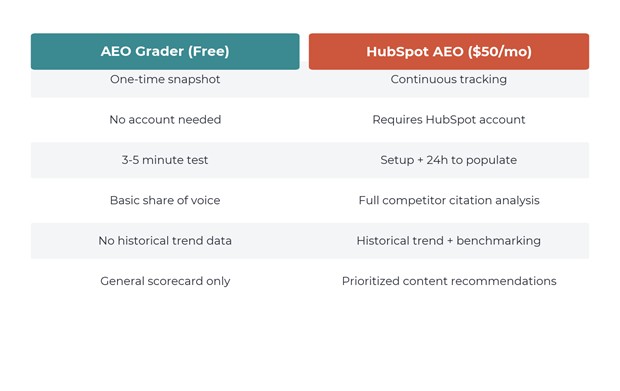
The AEO Grader is HubSpot’s free, no-account-needed starting point. Enter a brand name, industry, and location, and within three to five minutes it queries ChatGPT, Gemini, and Perplexity to see how each one describes the brand. The result is a score out of 100 across five weighted dimensions: sentiment, presence quality, brand recognition, share of voice, and market position.
It’s a one-time snapshot, not ongoing monitoring, and the query set is generated automatically rather than customized. But as a first look at where a brand stands before committing to anything paid, it’s genuinely useful, and several independent reviewers point out it beats guessing by a wide margin.
Go Continuous: HubSpot AEO
Once the Grader shows there’s a gap worth tracking, HubSpot AEO is the paid product built to watch it over time. It’s included in Marketing Hub Pro and Enterprise, or available standalone for fifty dollars a month. The core value add over the free Grader is continuity: ongoing tracking across the same three engines, competitor share of voice broken down by prompt, citation source analysis showing which third-party domains AI engines are pulling from, and a prioritized list of content recommendations instead of just a scorecard.
Setup takes a specific order: brand details, competitor domains, products or ICPs, location, then prompts, followed by roughly a day for the first data to populate. Teams that skip straight to prompts without the competitor and ICP steps tend to get noisier, less actionable results.
Where the CRM Actually Helps: Breeze Content Agent
This is the part that separates HubSpot’s approach from a standalone grading tool. Once HubSpot AEO flags a gap, the Content Agent, part of HubSpot’s broader Breeze AI suite, can turn that specific recommendation into an actual draft. Because it operates on CRM-connected context rather than a blank prompt, the draft starts closer to something publishable instead of a generic AI-written first pass that needs a full rewrite.
It’s not a hands-off fix. Someone still needs to review structure, verify facts, and make sure the content matches how the brand actually talks. But going from a flagged gap to a working draft inside the same platform removes a step that used to mean exporting a recommendation into a separate writing tool entirely.
Where It All Comes Together: Content Hub
The last piece is publishing itself. Content Hub is where the structural elements AI engines actually look for get applied: FAQ schema, question-based subheadings, direct answers placed near the top of a section instead of buried in the fourth paragraph. None of this is unique to HubSpot, but having the grading, the tracking, the drafting, and the publishing step inside one system means less handoff friction between tools that don’t talk to each other.
Which Tools Actually Matter for a Given Team
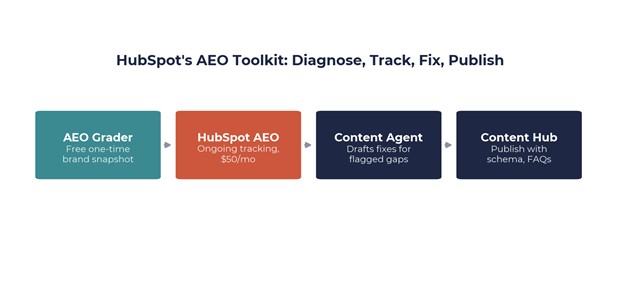
A team with no existing AEO effort should start with the free Grader and treat it as a baseline, not a verdict. A team that already has a baseline and wants to know if specific content changes are working needs HubSpot AEO for the ongoing tracking and competitor visibility. And a team that’s identified real gaps but doesn’t have the bandwidth to rewrite a dozen pages benefits most from pairing AEO’s recommendations with the Content Agent to actually close them. Skipping straight to the paid tracking tool without ever running the free Grader first is the most common shortcut that ends up costing more time later, mostly because teams end up tracking prompts that were never actually connected to a real gap in the first place.
Where Breezy Hill Marketing Fits Into This
Running these tools is one thing. Knowing which prompts actually matter for a specific business, reading a Grader score without overreacting to it, and turning a flagged content gap into a page that’s actually worth publishing is a different skill set entirely. That’s the part we spend most of our time on with clients: setting up the tracking correctly from day one, prioritizing the recommendations that will move the needle instead of chasing every flagged gap, and making sure the content that comes out the other end still sounds like the brand, not like generic AI output. If your team already has HubSpot but hasn’t touched AEO yet, that’s usually the fastest place to start.
| Want help setting up an AEO tracking and content workflow for your site?
Talk to the BHM AEO expert. |
References
- How to Rank in AI Search With HubSpot’s AEO Grader Tool — Red Pandas
- HubSpot AEO Tool: Track & Improve Your AI Search Visibility — On The Fuze
- AEO Graders and Tools: What They Measure and Miss — Vantage Point
- HubSpot Free AEO Grader vs. Paid AI Visibility Tools — ADSX
- Top HubSpot AI Features For Marketers To Use In 2026 — AI Summit